
Table of Contents
Finding the right ergonomic mouse makes a huge difference if you spend long hours at your desk, whether you’re working, creating, gaming, or browsing. Ergonomic designs reduce wrist strain, encourage a natural hand position, and help reduce fatigue over extended sessions.
In this list of top ergonomic mice for 2026, I’ve chosen a range of options spanning productivity, gaming, specialized vertical designs, and trackball formats, all recommended by experts and extensive testing.
1. Lekvey Ergonomic Vertical Mouse – Quiet, Affordable Wrist Relief
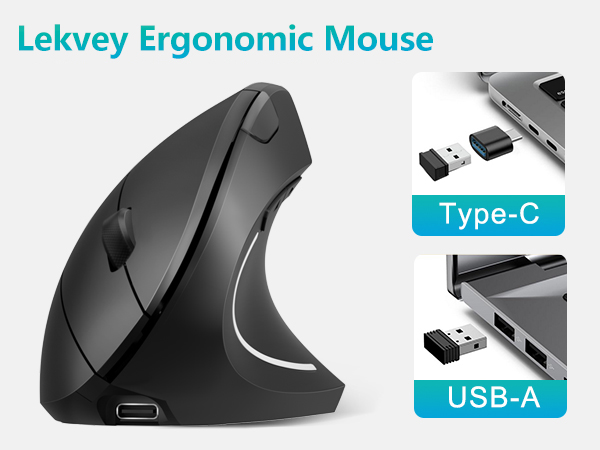
The Lekvey Ergonomic Mouse is a strong entry-level vertical mouse designed to reduce wrist strain without pushing into premium pricing. Its vertical “handshake” design keeps the wrist and forearm in a more natural alignment, which many users find helpful for easing discomfort associated with long desk hours, repetitive motion, or early carpal tunnel symptoms.
Unlike many budget vertical mice, Lekvey includes dual-mode connectivity with both USB-A and USB-C support. This makes it especially practical for modern laptops, MacBooks, and mixed workstation setups. The built-in rechargeable battery removes the need for disposable batteries and easily lasts through long workweeks.
Cursor control is smooth and predictable thanks to the 1600 DPI optical sensor, while quiet clicks make it suitable for shared offices or late-night work sessions. After a short adjustment period, most users report noticeably improved comfort during extended use.
Key Features and Benefits
- Vertical ergonomic design that keeps the wrist in a more neutral position
- Dual-mode wireless connectivity using USB-A or USB-C adapter
- Built-in 600mAh rechargeable battery with long standby time
- Three adjustable DPI levels (1000 / 1200 / 1600)
- Quiet left and right clicks for distraction-free work
- Forward and back buttons for easier web navigation
- Automatic sleep mode after inactivity to save power
Ideal For
A great choice for office workers, remote professionals, writers, and anyone looking for affordable ergonomic wrist relief without jumping straight to high-end vertical mice. It’s particularly well suited for users working on modern USB-C laptops who still want simple plug-and-play reliability.
2. Logitech MX Master 4 – Productivity Powerhouse
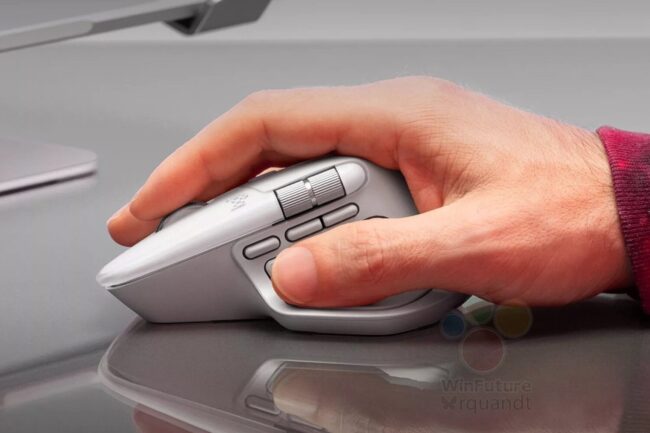
The Logitech MX Master line consistently tops ergonomic mouse lists, and the MX Master 4 continues that tradition with refined comfort and precise control. It’s widely regarded as one of the best ergonomic mice for general productivity and long workdays, thanks to its sculpted shape and intuitive controls.
Key Features and Benefits
- Ergonomically sculpted right-hand shape with thumb support
- Dual scroll wheels (horizontal and vertical)
- Customizable buttons and gesture controls via software
- Excellent battery life (weeks on a single charge)
- Precision tracking on glass or mouse pad surfaces
- Wireless connectivity via Bluetooth or USB dongle
Ideal For
Professionals, multitaskers, and creatives who need reliable precision and comfort for extended use.
3. Logitech Lift – Best Mid-Range Ergonomic (Vertical) Mouse
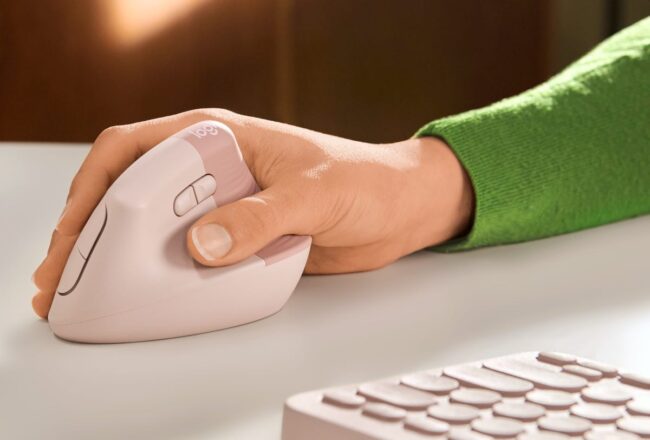
If you want an ergonomic experience that puts your hand in a neutral handshake position, the Logitech Lift vertical mouse earns top marks among vertical designs. It reduces forearm pronation (the twist of your wrist) for less strain compared with traditional shapes.
Key Features and Benefits
- Vertical ergonomic shape encourages healthier hand posture
- Wireless Bluetooth and USB receiver connectivity
- Textured grip for added stability
- Automatic scroll wheel switching (notched to smooth)
- Pairs with up to three devices
- Available left-handed version
Ideal For
Users with small to medium hands and anyone hunting for an ergonomic grip that limits strain during long typing or browsing sessions.
4. Razer Pro Click V2 Vertical – Top Ergonomic Gaming/Hybrid Mouse
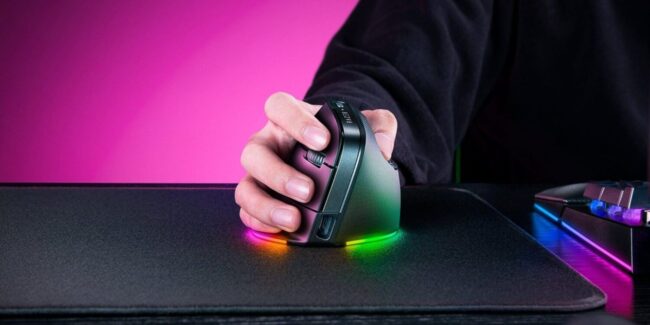
For gamers and power users who want both precision and ergonomic comfort, the Razer Pro Click V2 Vertical melds vertical design with strong sensor performance and gaming-grade responsiveness.
Key Features and Benefits
- Vertical ergonomic design reduces wrist fatigue
- High-precision optical sensor for gaming and productivity
- Wireless performance with low latency
- Comfortable thumb rest and sculpted grip
- Programmable buttons for task customization
Ideal For
Gamers and hybrid users who need precision and comfort for both play and work.
5. Logitech MX ERGO – Best Trackball Ergonomic Mouse
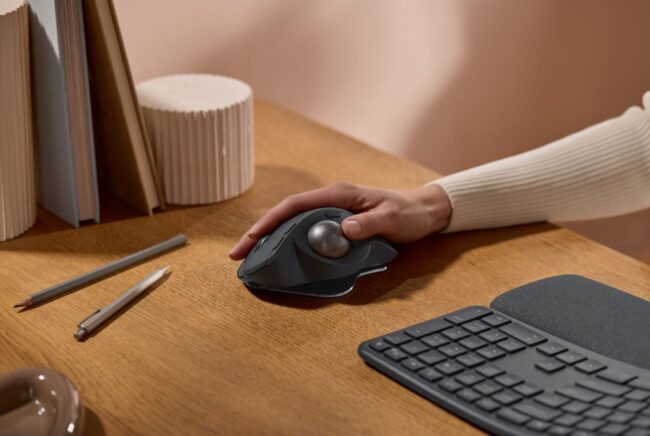
If you want minimal wrist or arm movement, trackball mice like the Logitech MX ERGO offer a unique ergonomic benefit: you control the cursor with a thumb-operated ball while your hand stays stationary.
Key Features and Benefits
- Thumb-controlled trackball reduces arm movement
- Adjustable tilt for personalized comfort
- Wireless Bluetooth and USB pairing
- Built-in rest for pinky and palm
- Long battery life
Ideal For
Users with chronic strain issues, those seeking precise cursor control without moving the whole arm, and professionals doing CAD or long browsing sessions.
6. ASUS Ergonomic Vertical Mouse – Affordable Comfort
ASUS offers a practical entry into vertical ergonomic mice with a design focused on comfort, reliability, and everyday usability. This vertical mouse uses a natural handshake-style angle that helps reduce wrist pronation and forearm tension during long hours at the computer. While it avoids flashy extras, its strength lies in solid build quality, dependable tracking, and consistent wireless performance.
Users who prefer recognizable brands often appreciate ASUS’s restrained, professional approach to ergonomics. The shape feels stable in the hand, the buttons are responsive without being noisy, and the overall experience is geared toward long workdays rather than short bursts of use. It’s an easy transition option for anyone curious about vertical mice but hesitant to commit to premium pricing.
Key Features and Benefits
- Vertical ergonomic design that supports a neutral wrist position
- Reliable wireless connectivity via Bluetooth or USB receiver
- Adjustable DPI settings for everyday productivity tasks
- Comfortable grip with balanced weight distribution
- Quiet, responsive buttons suitable for office environments
- Rechargeable battery designed for extended daily use
Ideal For
Users who want an affordable vertical ergonomic mouse from a well-known brand, especially office workers, students, and remote professionals seeking wrist comfort without unnecessary features.
What to Look For in an Ergonomic Mouse
When selecting an ergonomic mouse, a few key factors determine how well it will fit your needs:
Shape and Orientation
- Vertical vs. Traditional: Vertical mice reduce forearm rotation and wrist strain; traditional ergonomic mice often add thumb rests and sculpted forms that help reduce fatigue.
- Trackball Models: Trackball mice like the MX ERGO minimize arm movement, ideal if you have limited desk space or struggle with arm fatigue.
Hand Size and Grip
- Choose a mouse that complements your hand size (small, medium, large) and grip style (palm, claw, fingertip) to avoid discomfort over long sessions.
Connectivity
- Wireless vs. Wired: Wireless offers freedom of movement; wired can provide slightly lower latency for gaming or precision tasks.
- Multi-device pairing is handy if you switch between laptop, tablet, and desktop.
Customization and Features
- Programmable buttons and adjustable DPI help tailor the mouse to your workflow or gaming needs.
- Scroll features (horizontal wheels, smooth vs notched) make navigating long documents easier.
Comfort and Material
- Soft touch surfaces, textured grips, and weight distribution all contribute to long-term comfort.
FAQ: Ergonomic Mice
Are ergonomic mice better than standard ones?
Yes — ergonomic mice reduce wrist strain and encourage a more natural hand posture, which can prevent discomfort from prolonged use.
Do vertical mice really help with pain?
Many users report reduced forearm and wrist discomfort because vertical designs limit pronation and keep your hand in a neutral position.
Can I use an ergonomic mouse for gaming?
Absolutely. Some models like the Razer Pro Click V2 Vertical combine ergonomic shape with gaming-grade sensors and responsiveness.
Final Thoughts
Choosing an ergonomic mouse in 2026 comes down to understanding how you work, how long you spend at your desk, and what kind of hand support feels most natural over time.
Also read: How to elevate your gaming experience?
Ergonomic designs are no longer niche or experimental, they are practical tools that help reduce fatigue, improve comfort, and support healthier wrist and hand positioning during extended use.
Paying attention to posture, hand size, connectivity preferences, and long-term comfort will always matter more than chasing specifications. When the mouse fits your hand and workflow properly, the benefits tend to show up quietly, day after day, through better comfort and smoother control.


