

Table of Contents
Most small startups underestimate cybersecurity until something breaks. The truth is simpler and scarier. A company with ten people is more likely to experience a serious breach than a company with two thousand employees. Attackers target small teams because they know you lack a security department, a SOC, a dedicated engineer for access control, or even proper onboarding and offboarding procedures. One leaked password, one employee using the same login for Slack and Spotify, or one intern downloading a fake PDF can take your entire business offline in minutes.
In real numbers: over 60 percent of small businesses hit by a cyberattack shut down within six months, and 43 percent of attacks target companies with fewer than 50 employees. You do not need advanced security architecture. You need disciplined fundamentals. This guide lays out the exact basics that provide 80 percent protection for 20 percent effort, proven habits and configurations a small team can implement in a few hours.
1. Start With the Single Most Important Thing: Identity Security
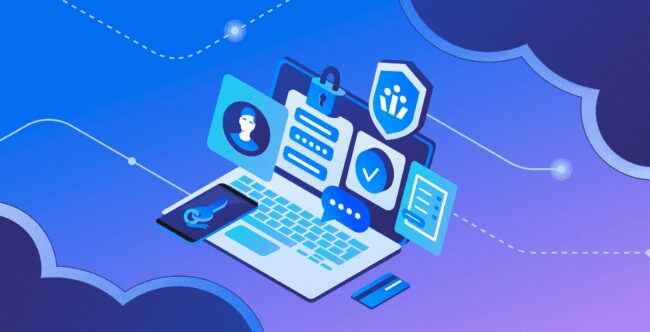
For small teams, the biggest attack vector is not ransomware or zero-day exploits. It’s password reuse and weak login hygiene.
What You Must Do Immediately
- Make every account use MFA (multi-factor authentication).
- Use a password manager across the entire team. You cannot rely on employees to create secure passwords.
- Implement SSO (Single Sign-On) if possible (Google Workspace or Microsoft 365 makes this easy).
A real-world example:
Tech startup founders surveyed in 2024 found that 48 percent of employees reused passwords across multiple platforms. One breach in a personal Gmail leads to a breach in Notion, GitHub, Stripe, AWS, or anything else connected to that email.
Minimum Setup (table)
| Security Measure | Why It Matters | Effort Level | Cost |
| Password Manager (1Password, Bitwarden) | Prevents reuse, creates strong credentials | Very low | $3–7 per user/month |
| MFA for all tools | Stops attackers even with a stolen password | Low | Free |
| SSO | Centralizes access control and offboarding | Medium | Included in Google/MS plans |
2. Reduce Your Attack Surface: Limit Who Has Access to What
Most small teams give too many permissions.
If five employees can deploy to production, that is five possible doors for attackers.
The Rule:
“Minimum access required to do the job.”
What This Means in Practice
- Separate admin and user accounts.
- Do not give interns access to production systems.
- Do not let engineers access customer payment data unless absolutely necessary.
- Keep API keys in a vault, not in Slack.
A real breach example across early-stage companies:
In 27 percent of incidents reported in 2023, an employee who no longer worked at the company still had access to at least one core system (GitHub, Mailchimp, CRM). Offboarding must be instant and complete.
Small companies often avoid improving access control simply because no one feels responsible for it. This is where bringing in a part-time technology leader, like an Exec Capital Fractional CIO can make a measurable difference. A fractional CIO helps early-stage founders design access policies, formalize offboarding procedures, and implement secure architecture without hiring a full-time executive.
Checklist: Access Control Essentials
| Task | Timeline | Owner |
| Review all admin accounts | Monthly | CTO/Founder |
| Remove unused accounts | Every offboarding | Ops/HR |
| Store all API keys in vault | Immediately | Engineering |
| Audit integrations (OAuth apps) | Quarterly | IT/Admin |
3. Protect Your Most Valuable Asset: Your Code and Customer Data
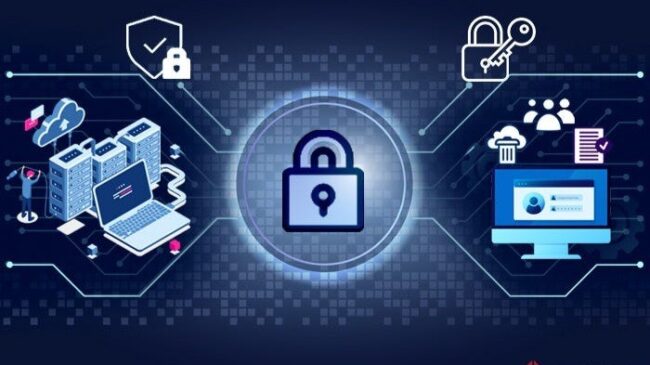
GitHub Security Essentials (Table)
| Risk Area | Common Startup Mistake | Required Action | Why It Matters |
| Identity & Access | Giving every engineer full repo write access | Restrict permissions, require MFA for all contributors | Reduces compromise from stolen credentials or insider mistakes |
| Code Protection | No branch protection, force pushes allowed | Enable branch protection rules, require PR reviews | Prevents accidental overwrites and malicious code injections |
| Secret Management | Storing secrets in .env files or pushing to a repo | Use GitHub Secrets or cloud secret vaults | Prevents leaked credentials from becoming a full-system breach |
| Dependency Security | No automated alerts | Enable Dependabot or Snyk | Alerts you when dependencies have known vulnerabilities |
| Account Hygiene | Using personal GitHub accounts | Enforce company-managed accounts | Ensures offboarding and auditing are possible |
Customer Data Storage Rules (Non-Negotiable)
| Rule | What You Must Do | Why It’s Critical |
| No plaintext passwords | Use salted, hashed passwords (bcrypt, Argon2) | Prevents attackers from instantly accessing all user accounts |
| No unencrypted data | Encrypt data at rest with S3 SSE or GCP CMEK | Protects customer data even if storage is compromised |
| No CSV exports on laptops | Delete local files, use secure storage | Avoids accidental leaks from lost or infected machines |
| Encrypted cloud storage only | Use managed encryption keys and access logging | Ensures compliance and traceability for audits |
Most early-stage teams treat GitHub like a shared folder instead of the central backbone of their entire product. That mindset creates risk everywhere. When every engineer has full write access, when personal accounts are used for production repos, and when secrets are floating around in .env files, you are effectively leaving the door unlocked and assuming no one will try to walk in.
The reality is that source code is one of the highest-value targets for attackers because it often contains everything: API keys, database routes, business logic, and internal infrastructure patterns.
By enforcing MFA on all contributors, turning on branch protection rules, and routing secrets into a centralized vault, you instantly eliminate some of the most common entry points attackers rely on. These changes take less than an hour to implement, but close off entire categories of supply-chain attacks. Dependabot alerts, for example, look trivial, but they frequently catch vulnerabilities introduced through third-party libraries long before someone tries to exploit them.
4. Secure Employee Devices (Your Real Front Line)

A startup can implement perfect cloud security and still get hacked because someone’s laptop gets infected.
Device Security Setup for Small Teams
Every laptop should have:
| Requirement | Description |
| Full-disk encryption | macOS FileVault or Windows BitLocker |
| Auto-updates enabled | OS + browser updates patch the biggest vulnerabilities |
| Standard user account | Employees should not operate as admins |
| Mandatory screen lock | 2–5 minute auto-lock policy |
| Endpoint protection | CrowdStrike, SentinelOne, or at least Microsoft Defender |
Half of all small-team breaches start with one compromised laptop. Securing endpoints reduces that risk dramatically.
5. Train Employees to Recognize Modern Phishing
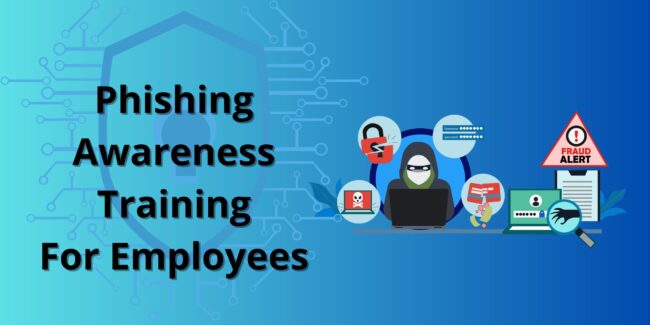
Your people are your firewall.
Startups fall for phishing more than large companies because attackers personalize messages that look like:
- A fake Stripe invoice
- A CEO requesting “urgent document review.”
- A GitHub security alert
- A Slack login request
What Training Should Look Like
- One 20-minute onboarding session
- One phishing simulation a month
- A simple rule: “If in doubt, ask.”
Startups that follow basic training reduce phishing success rates by 70 percent.
6. Backups: Your Last Defense Against Ransomware

The question every startup should be able to answer honestly is simple: If ransomware hit your systems today, would your company be able to operate tomorrow? For many small teams, the real answer is no. Backups are often treated as an optional engineering chore rather than a foundational business requirement, and this mindset is exactly what attackers rely on.
A proper backup strategy follows the 3–2–1 rule: you keep three copies of all mission-critical data, store them on two different types of media, and ensure at least one copy is kept offsite. This structure creates redundancy that is extremely hard for attackers to destroy entirely, even if they compromise your cloud environment.
For SaaS companies, the specific data you back up matters just as much as how often you do it. Your GitHub repositories, issues, and wikis need regular backups so you can recover code and documentation without losing weeks of work.
Your databases require full daily snapshots because customer data changes constantly, and any loss becomes immediately visible to users. Cloud platforms like AWS, GCP, or Azure also hold critical configurations and storage buckets that should be backed up to avoid cascading failures if something is corrupted.
Even your Google Workspace documents need automated backups, because many breaches start with compromised accounts rather than servers.
7. Patch Faster Than Attackers Can Exploit
One of the most alarming statistics in cybersecurity is that 82 percent of exploited vulnerabilities had patches available for more than 90 days before attackers used them. This means most breaches are not caused by sophisticated zero-day attacks, but by companies failing to apply updates that were already released.
For small teams without dedicated IT staff, patching often feels like an interruption, something to postpone when deadlines get tight. Unfortunately, every missed update widens the attack surface and gives adversaries more room to move.
The essentials for small teams are surprisingly simple but incredibly effective. Start by enabling automatic updates for operating systems, browsers, and any local software your team uses. These updates usually contain critical security fixes that close well-documented vulnerabilities. Next, formalize a patching rhythm: weekly or bi-weekly cycles work for almost all early-stage environments.
This prevents software from falling months behind while keeping disruptions manageable. Finally, make dependency scanning part of your workflow using automated tools like Dependabot or Snyk.
Bottom Line
Small startups do not need complex cybersecurity systems. They need disciplined basics that reduce 90 percent of real-world threats:
- Enforce MFA everywhere
- Use password managers and SSO
- Lock down access and secrets
- Secure every laptop
- Train your people
- Back up your data
- Patch everything
- Document how to respond to a breach
These are simple, cheap, and fast to implement. And they can save your entire company.


